Sometimes I have to wonder if the statements my students make are incredibly odd or insightfully genius. Today, I am going with genius.
I was using The Walking Dead (among other shows/movies) to help students understand rising action, climax, and falling action. I was explaining that as we move through the rising action, things start relatively calm, but we suddenly find our hands making tight fists and our breathing becoming shallower. As the story reaches its climax, we are often holding our breath because the storyline becomes so intense. With the falling action, we start breathing again and our fists release as things calm back down.
"That's like when you have to pee really bad!" a student blurted out.
Yes, I was filled with confusion, but I had to allow her to explain.
This is what she shared: Rising action is like when you have to pee a little bit, and the longer you wait, the more intense it becomes. The climax is when the teacher lets you out of class and you experience the moment of urination. The falling action is the moment of relief that follows the entire process.
Linear plot and the process of urination. Who would have thunk it?
As much as I love to entertain my students, I always struggle with a way to make plot analysis interesting (although I can never be too serious no matter how hard I try). This is a tested skill that my students generally struggle with, but I know that I have to capture their attention in some way. My solution: lots and lots of graphics!
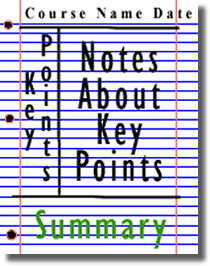
I ran across a plot analysis handout online that I used as a model for taking Cornell notes. As an AVID school and AVID classroom/site team member/mentor, this is a requirement for my AVID students (and the rest just have to suffer). We have not worked on this skill in some time, and the kids are due for a refresher.
For the presentation, I began by adding animated gifs. Until this summer, I did not realize I could even place these in a presentation, but they save and insert like any old picture. You can search for just about anything and add "+ gif". They make relatively dry material a bit more light-hearted.
I also added a teacher character to my presentations as I often do. This time, I used DoppelMe to create my mini-me. DoppelMe is also good for students to use to create Edmodo avatars. Rather than setting up an account, I created my character and then used the Windows Snipping Tool to copy and save the image.
I have also used a lot of graphics to guide the note-taking. I could have typed up all the notes for the kids to copy. Instead, I am using the pictures to help them identify the pieces. This way, they are still working. They will add those thoughts to their notes as we discuss them.
We will see how everything goes Monday. If I get a couple of laughs and quite a few groans, I know that I have done well.
______________________________________________________________________
Update: Stop the presses! Another blogging teacher posted an entry about an app called Tellagami. It's cute, it's fun, and I'm playing! My apologies to my mini-me, but my DoppelMe had to go. My Gami is now posted on slide 3. The more of these I can make, the more I won't have to speak.